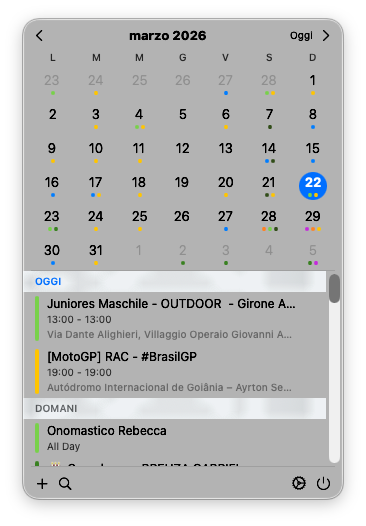
easyCal is a macOS menu bar utility that gives you quick access to Apple Calendar and Reminders right from the system tray. It integrates natively with macOS using EventKit, with no separate database.
Monthly grid with swipe navigation, week numbers and colored event dots
Upcoming events grouped by day with details and quick access
View, create and complete Apple Reminders with multiple list support
Auto-detection of 20+ services (Zoom, Meet, Teams) with one-click join
Timezone management with always-visible world clock
Modern design with glassmorphism effects, adaptive light/dark mode
easyCal in action
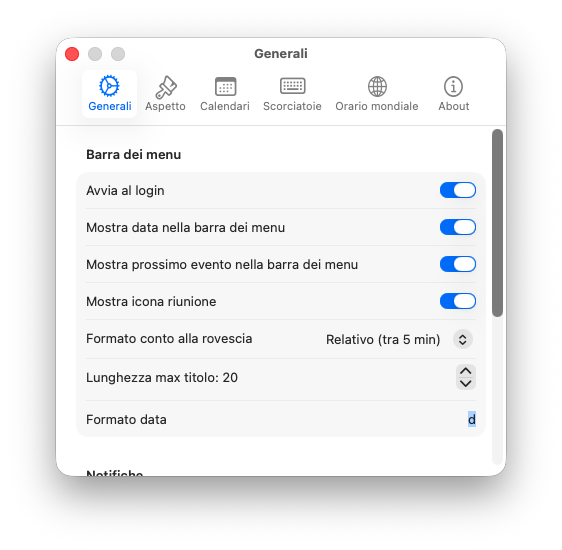
Customize startup, date format, countdown in menu bar
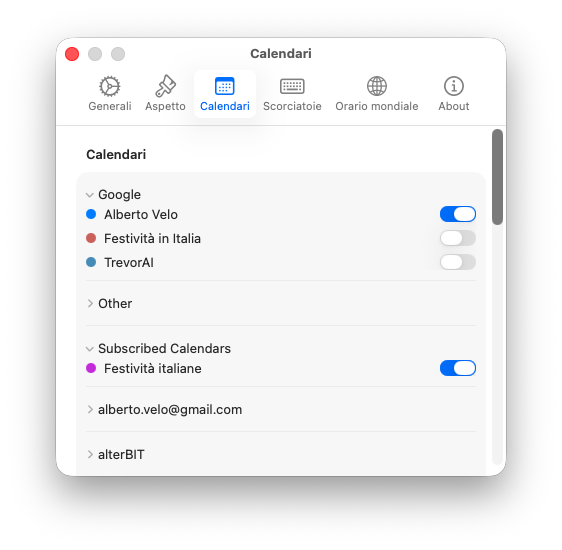
Choose which calendars and reminder lists to display
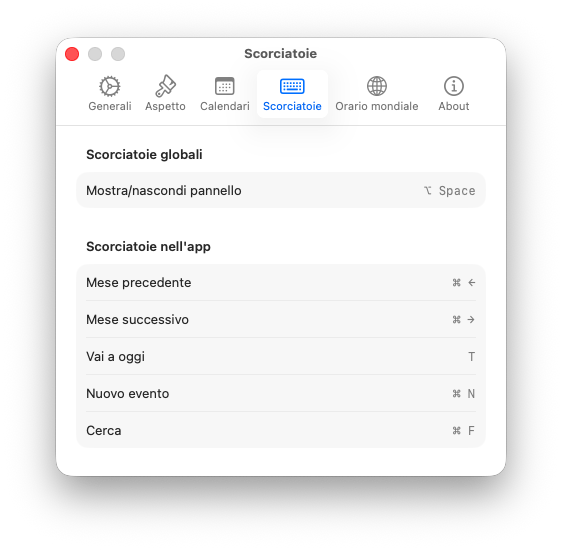
Quick navigation with keyboard shortcuts
Join your meetings with a single click
Native deep link to open the Zoom app directly
Open Google Meet meetings in the browser with one click
Deep link support for the native Teams app
Start FaceTime calls directly from the event
Support for 15+ additional video conferencing services
5-minute reminder with clickable "Join Meeting" action
Always available in the menu bar, doesn't appear in the Dock.
Create events with natural language parsing (e.g. "tomorrow at 3pm").
Search across all events from all calendars.
Calculate days between dates with custom date markers.
Shows next event and countdown in the menu bar.
Sparkle framework for secure automatic updates.
Native interface with strict concurrency and Liquid Glass design.
Native integration with Apple Calendar and Reminders.
Date markers persistence with Apple's modern framework.
Preferences sync via NSUbiquitousKeyValueStore.
Secure automatic updates with EdDSA signature.
All local via EventKit, no data sent to external servers.
Get started in seconds
Option A — Terminal (recommended):
xattr -cr /Applications/easyCal.app Option B — GUI:
Try to open easyCal, macOS will show a security warning. Go to System Settings → Privacy & Security, scroll down and click "Open Anyway" next to the easyCal message.
System Settings → Privacy & Security → Calendars → easyCal ✓
System Settings → Privacy & Security → Reminders → easyCal ✓ A menu bar calendar built for simplicity and power
No subscription, no in-app purchases, no hidden costs. All features are available from day one
Liquid Glass interface that blends perfectly with macOS Tahoe, not a port from other platforms
Automatically detects meeting links from 20+ video conferencing services in your events and joins with one click
Unified access to Apple Calendar events and Reminders in a single compact menu bar interface
Uses only Apple's EventKit, no external servers, no account required, no tracking
Native Swift/SwiftUI app, launches instantly and uses minimal resources. Always ready in the menu bar
Download easyCal and access your calendar with one click from the menu bar.